A hands-on vibe coding session: scaffolding, solving, testing, and visualising the classic Knight’s Tour chess problem using OpenAI’s Codex CLI, guided entirely through natural language prompts rather than hand-written code.
“Vibe coding” — Andrej Karpathy’s term for building software by describing what you want in plain English and letting an AI agent write the code — has gone from a throwaway phrase to Collins Dictionary’s Word of the Year. This post is a real vibe coding session with OpenAI’s Codex CLI: no line of Python below was typed by hand. This post assumes you have Codex CLI installed and authenticated. We’ll be working in three phases, each driven by a carefully crafted Codex prompt.
🎧 Is this actually vibe coding? By the loosest definition — describing intent in natural language and letting AI generate the code — yes. But 2026’s usage has split into a spectrum. On one end sits “slop coding”: accepting whatever the agent produces with no review, which is how vibe-coded side projects rack up technical debt fast. On the other end is what this post demonstrates — natural-language prompts plus a standing AGENTS.md spec, a diff to review before every write, and a test suite the agent has to satisfy. Same vibe, considerably less slop.
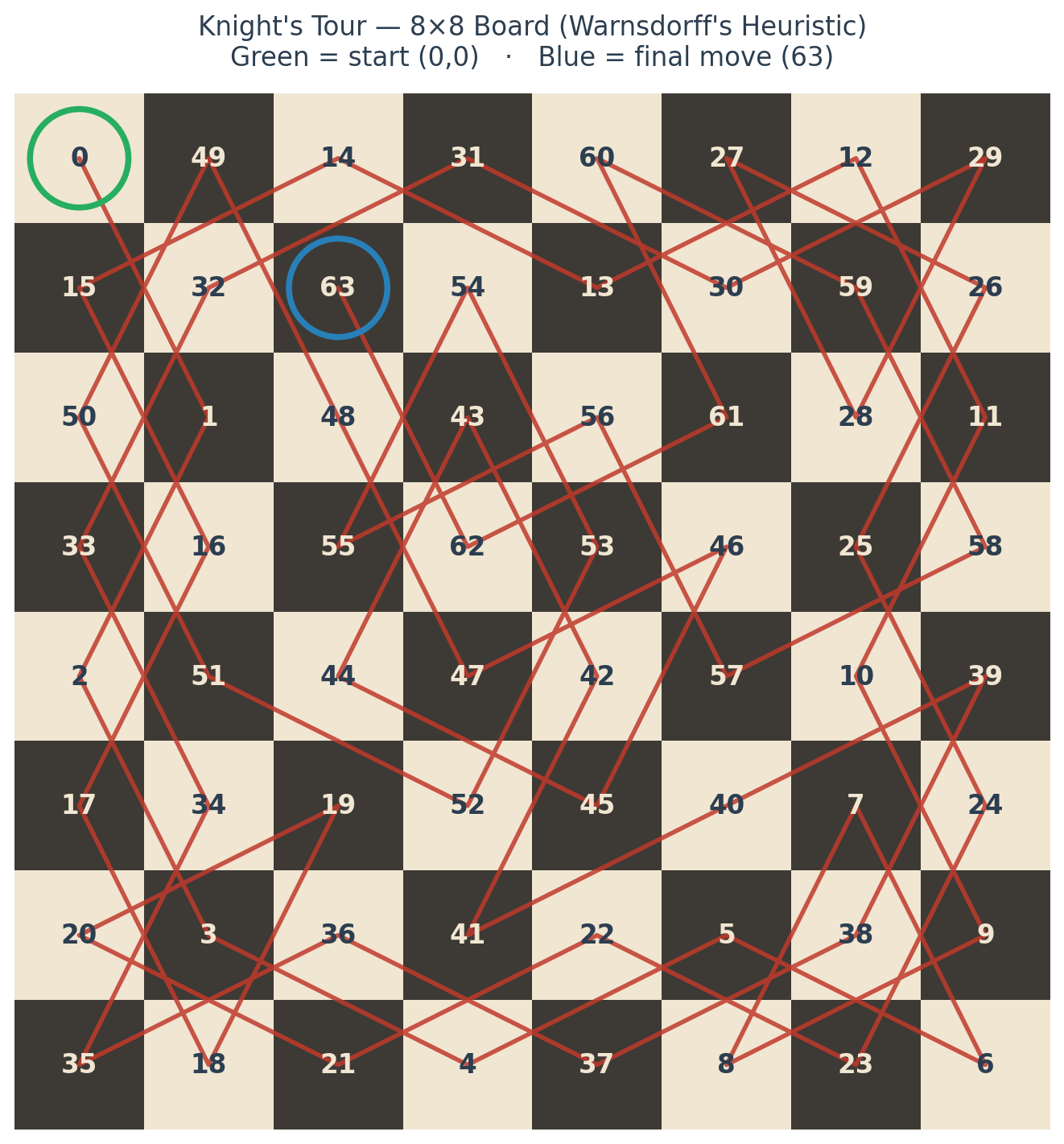
The completed tour from this walkthrough’s own solver — the full 8×8 board, all 64 moves, generated by the exact code Codex wrote below.
💡 Why prompt Codex to write AGENTS.md instead of writing it yourself? Two reasons. First, you describe your intent conversationally rather than worrying about format. Second, it sets the right mental model for the rest of the guide — Codex writes the files, you review the diffs.
You can also update it at any time: “Add a rule that all functions must have docstrings” or “Update AGENTS.md to say we’re now using FastAPI instead of Flask” — Codex will edit the file in place and show you the diff.
💡 Approval Flow: In Codex’s default Auto mode, you’ll see a diff for each file before it’s written. Press A to accept or R to reject. If Codex proposes something you don’t want, reject it and follow up with a corrective prompt — it retains full context.
📁 Final Project Structure
knights-tour/
├── AGENTS.md
├── conftest.py           ← empty, anchors pytest to project root
├── .gitignore
├── requirements.txt      ← flask
├── knight_tour.py        ← solver + display logic
├── main.py               ← CLI entry point
├── app.py                ← Flask web app
└── tests/
    └── test_knight_tour.py
What’s worth noticing in this walkthrough is the workflow rhythm: each Codex prompt builds on the last without re-explaining context, and the AGENTS.md file silently enforces project conventions so you don’t have to. The three phases took roughly 15 minutes end-to-end, most of which was reviewing diffs and running tests rather than writing code — not a single line was typed by hand.
The Knight’s Tour is just the illustration. The same prompt-iterate-commit loop applies to any project — and the more you invest in a good AGENTS.md upfront, the more useful each Codex session becomes.
This is what vibe coding looks like once it graduates past the demo-day stunt: still driven entirely by natural language, still fast, but with a spec file, a diff review, and a test suite standing between “the agent wrote it” and “it shipped.”
Another Codex CLI workflow: See how to run Codex from Termux on Android and connect it to WordPress.com.
Choosing hardware for local AI? Compare the Mac Mini M4 and Mac Studio for local LLMs, including tested 1B, 8B and 14B performance.


Leave a comment